SpamAssassin in a Box2.2.2
Publisher Description
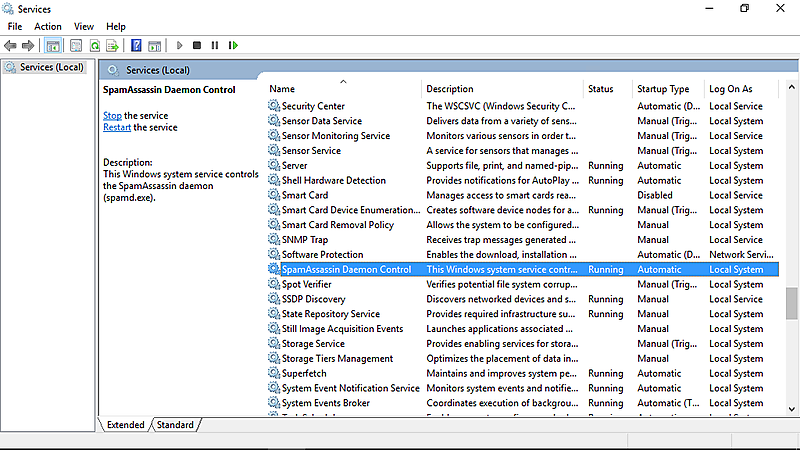
SpamAssassin in a Box is a powerful and reliable spam filter for Windows. Beside the famous e-mail filter SpamAssassin, it also contains a Windows system service, making SpamAssassin controllable via the Windows Service Control Manager. A fully preconfigured SpamAssassin is already included, as well as several enhancements (regarding stability, memory usage, signal handling, ...) for running the spam filter on a Windows system.
The service monitors SpamAssassin's daemon 'SpamD' and updates the anti-spam rules automatically. Furthermore it contains a lot of additional individual configuration options. SpamAssassin in a Box is suitable for use in Windows-based server systems, but is also supported by any other common Windows system.
SpamAssassin in a Box uses a scoring system to declare the likelihood of a mail being spam. The spam score can than be used by a continuative program, usually the MTA (Message Transfer Agent), to decide how to handle the mail. To obtain a complete anti-spam solution, you have to connect SpamAssassin in a Box to your MTA. Many well-known MTAs support a corresponding connection or can be extended by this sort of link (e.g. Microsoft Exchange or hMailServer).
About SpamAssassin in a Box
This Antispam & Antispy Tools program is available in English, German. It was last updated on 29 September, 2026. SpamAssassin in a Box is compatible with the following operating systems: Windows.
The company that develops SpamAssassin in a Box is JAM Software GmbH. The latest version released by its developer is 2.2.2. This version was rated by 11 users of our site and has an average rating of 3.7.
The download we have available for SpamAssassin in a Box has a file size of 11.5 MB. Just click the green Download button above to start the downloading process. The program is listed on our website since 2016-11-11 and was downloaded 322 times. We have already checked if the download link is safe, however for your own protection we recommend that you scan the downloaded software with your antivirus. Your antivirus may detect the SpamAssassin in a Box as malware if the download link is broken.
How to install SpamAssassin in a Box on your Windows device:
- Click on the Download button on our website. This will start the download from the website of the developer.
- Once the SpamAssassin in a Box is downloaded click on it to start the setup process (assuming you are on a desktop computer).
- When the installation is finished you should be able to see and run the program.
Program Details
System requirements
Download information
Pricing
Version History
version 2.2.2
posted on 2016-11-11
* Native 64bit support: additional memory for spamd
* NEW: ListenIP supports multiple addresses
* No restart of service during open connection
* several errors in service and SPAM tests fixed
* http://www.jam-software.com/spamassassin_in_a_box/changes.shtml
version 1.0.1
posted on 2010-12-07
* Provides SpamAssassin as a Windows service that can easily be controlled via Windows Service Control Manager
* Based on SpamAssassin for Windows Version 1.1 (Original SpamAssassin Version 3.3.1)
* Monitors the SpamAssassin daemon 'SpamD' for automatic restart
